


When reward seats inevitably run out on a flight, you’re usually left scrambling to find a ‘Plan B’. But what if you could still register your interest for your ‘Plan A’? Not many frequent flyer programs let you waitlist for reward seats, but Singapore Airlines KrisFlyer does.
This tactic can be handy for trying to get elusive seats in Suites, First Class and Business Class, though it also works well in Economy, particularly if cash fares are pricey.
What is a Singapore Airlines waitlist?
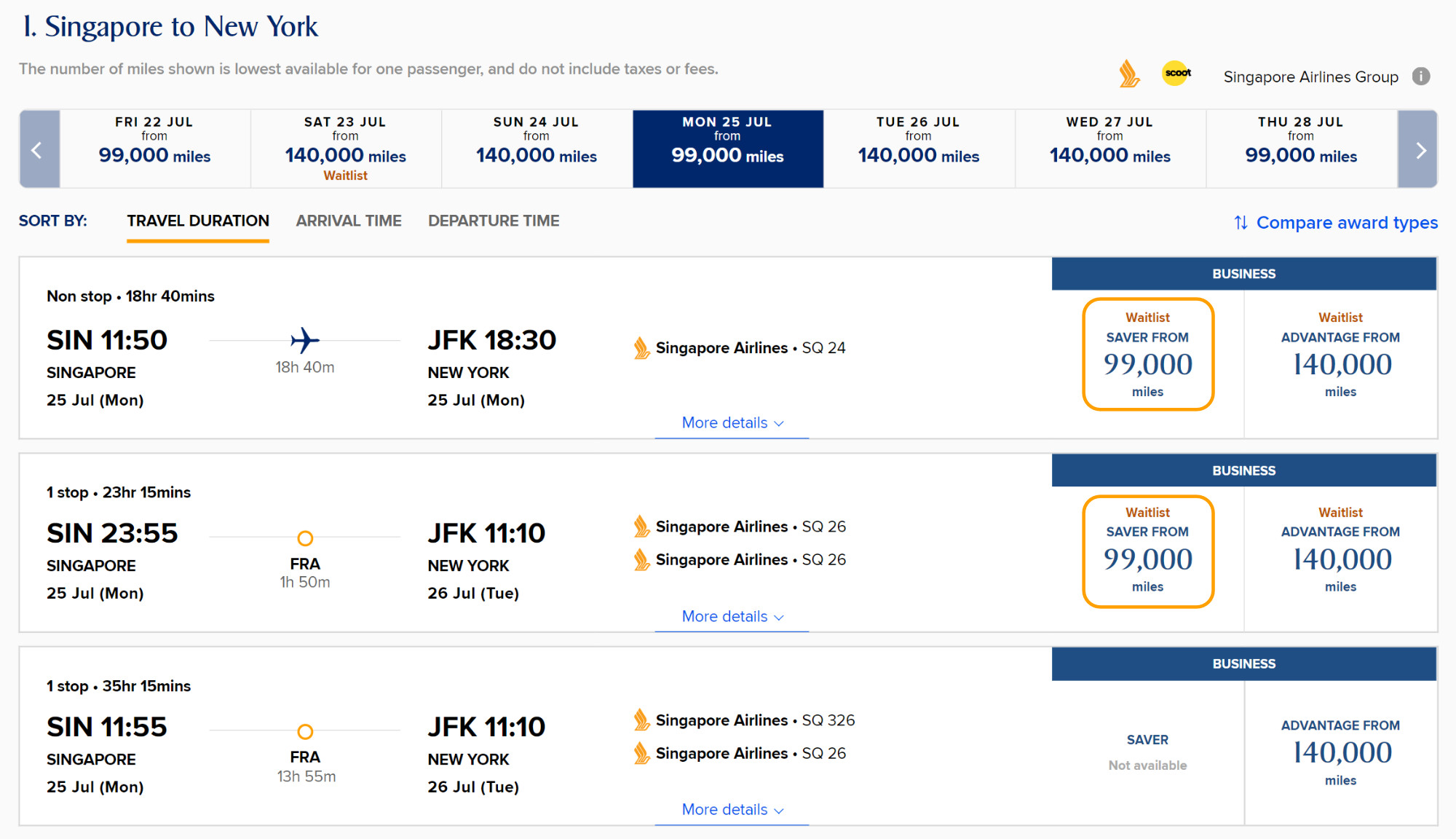
Waitlisting is when the reward seats on a particular flight are all gone, and you wish to be contacted if a seat opens up. With KrisFlyer miles, it’s only available for travel on Singapore Airlines – not any partners. It’s also not available on heavily-sold out flights, so you won’t always see this option.
How do I waitlist with KrisFlyer miles?
Since August 2019, the airline tweaked the system so waitlists clear no later than two weeks before departure. Here’s how it works:
- Important: ensure you already have enough miles in your KrisFlyer account to cover the redemption. You won’t be able to waitlist for a flight if you don’t already have enough miles.
- Search for reward flights and choose an available waitlist option if you can’t confirm a seat immediately.
- Complete basic passenger info and submit the page to go onto the waitlist.
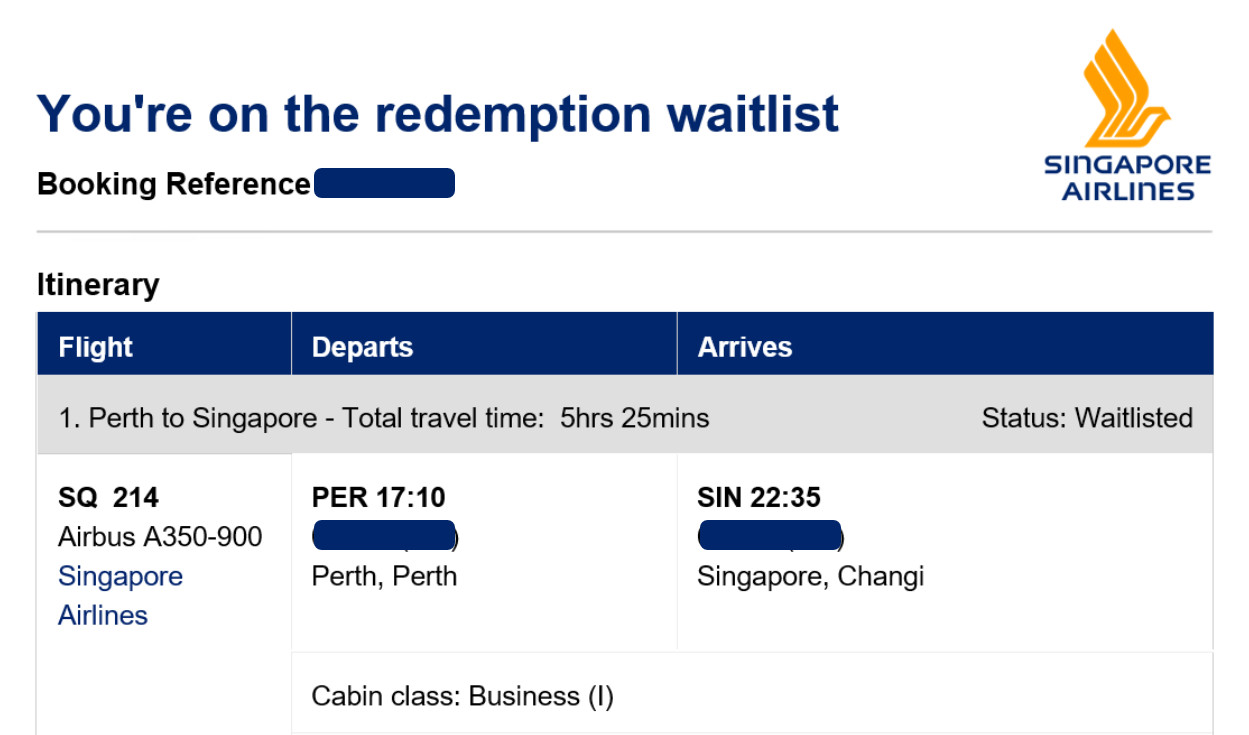
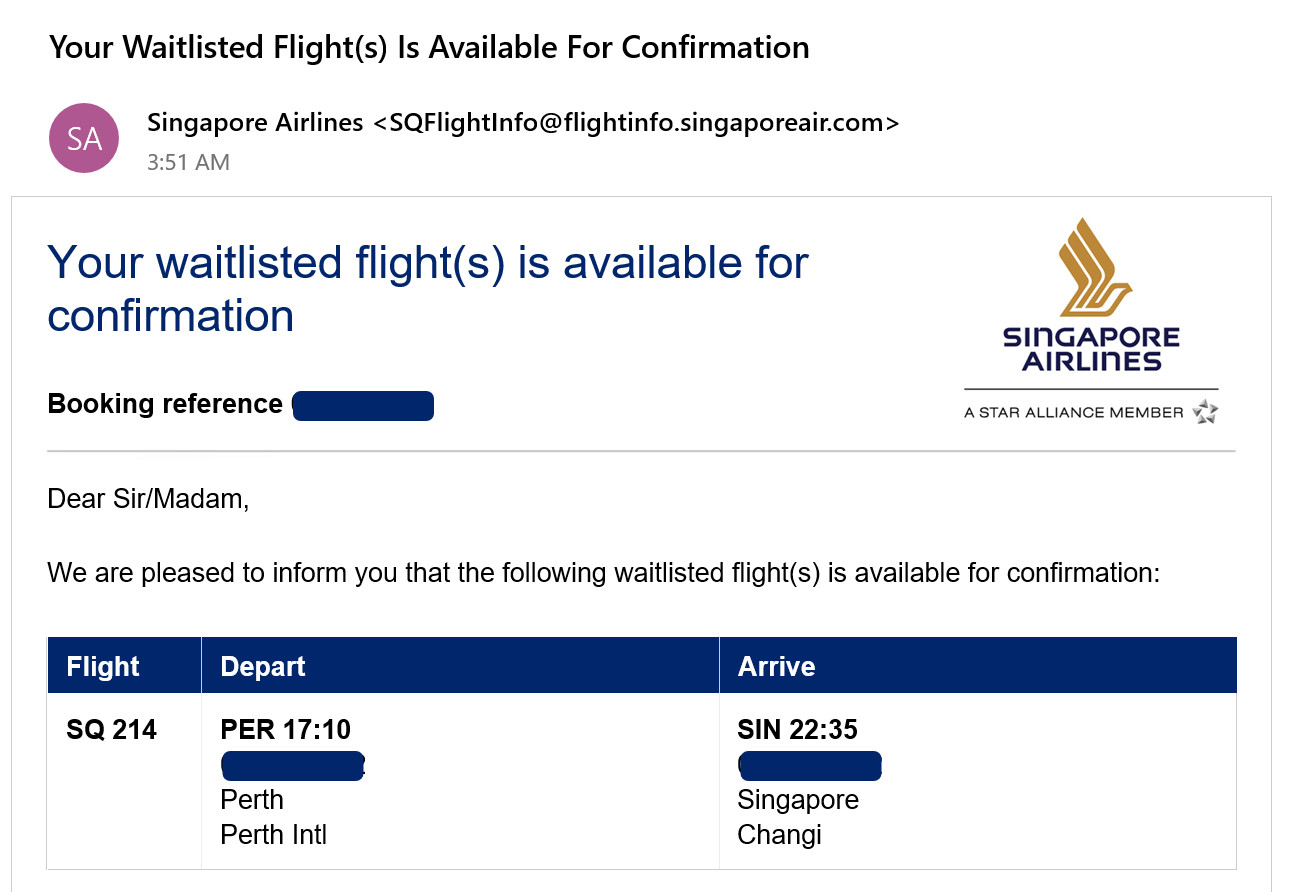
That’s all there is to it to get onto the waitlist. The trickier part is getting your flight confirmed. You’ll start receiving periodic notifications of the status of your request up to two weeks before the flight.
Your waitlisted flights can clear anytime, really. I’ve had one request clear the next day after registering for it. And others have gone for months without a response.
If your waitlist isn’t confirmed two weeks before the flight, then your request will be cancelled. You’ll need to rely on an alternative plan.
Westpac Altitude Rewards Black

- Bonus points
- Up to 200,000 bonus Altitude points
- Annual fee
- $200 card fee for the first year, $295 p.a. ongoing
- Earn
- 3 Altitude Points per $1 on international transactions, 2 Altitude Points per $1 on everyday spend, and 1 Altitude Points per $1 on all other eligible spend up to $10,000 per statement period. Then 0.5 Points per $1 thereafter, uncapped
Westpac Altitude Rewards Black
- Bonus Points
- Up to 200,000 bonus Altitude points
- Annual Fee
- $200 card fee for the first year, $295 p.a. ongoing
- Earn
- 3 Altitude Points per $1 on international transactions, 2 Altitude Points per $1 on everyday spend, and 1 Altitude Points per $1 on all other eligible spend up to $10,000 per statement period. Then 0.5 Points per $1 thereafter, uncapped
The Westpac Altitude Rewards Black has up to 200,000 Altitude Points plus a reduced first year annual card fee on offer for new cardholders, the points can be transferred to Velocity Frequent Flyer, KrisFlyer or Cathay miles at a 4:1 ratio. The card offers high points earn rates plus ongoing benefits, including Priority Pass lounge invites.
How do I confirm a successful waitlist?
If you got the email saying you were successful, then congratulations! Now you just need to pay and confirm the reward flight. Follow the link in the email or find the booking in your KrisFlyer account to do so. Click on ‘Confirm available flights’ to begin the payment process.
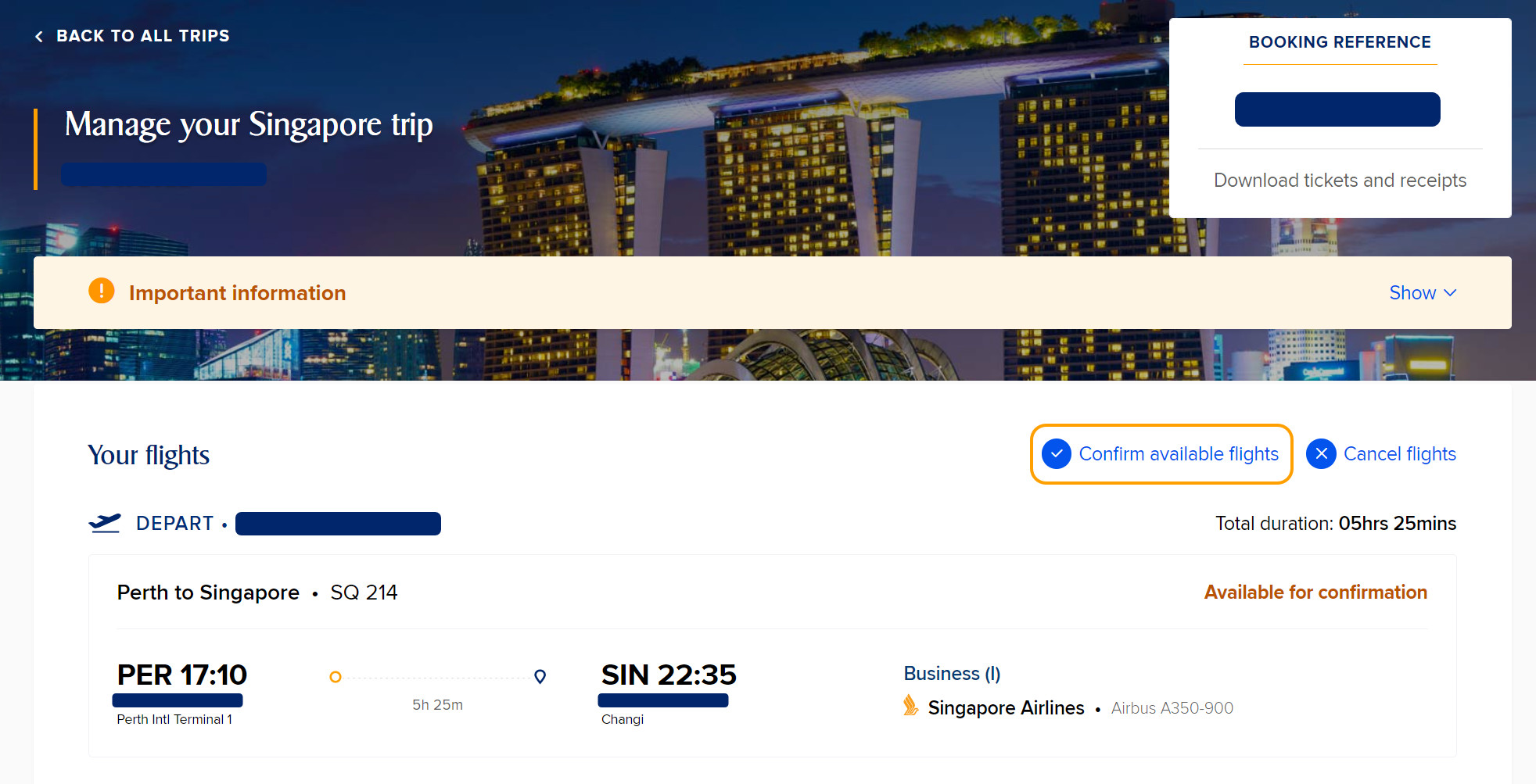
You have a strict time limit to confirm your flight – this is explained in the email. It varies, depending on how close-in you are booking. But for requests that are confirmed far in advance, you’ll usually get up to nine calendar days.
If you need to do something more complicated, like add a successfully-waitlisted flight into an existing booking, then call up Singapore Airlines KrisFlyer on 13 10 11 from Australia or +65 6223 8888.
Our tips for a successful outcome
Here are some Point Hacks pointers for making waitlisting easier!
- Waitlist for multiple flights: if you have enough KrisFlyer miles in your account, you can waitlist for multiple flights. Do this if you’re happy with the alternate options and want the best chance of success. You cancel waitlisted flights online with no charge, so it doesn’t hurt to have options.
- Book a backup: After waitlisting for a few flights, see if there’s a backup option you can lock in – with Singapore Airlines or even with other airlines. Frequent flyer reward seats are usually a safe bet, since they have reduced or no change/cancel fees.
- Call up if it’s been a while since you waitlisted: there’s no hard and fast rule about this, but some readers report success calling up Singapore Airlines KrisFlyer and asking for a ‘chaser’ on their waitlisted flight. This may prompt the system (or a person) to review the request and potentially confirm it in advance.
Need more help? See the KrisFlyer waitlisting FAQs on the Singapore Airlines website.
Summing up
Waitlisting is an interesting beast when it comes to reward seats. It’s great that Singapore Airlines offers this functionality, but there can be some tradeoffs.
The biggest one is uncertainty, of course. You won’t know when or if your request will clear. It could be days or months in advance or just three weeks before your trip. Singapore Airlines could just ditch the concept and offer more reward seats. But once the availability is gone, it’s… gone. At least with waitlists, people might still get lucky.
If you really need to take a particular flight, try to book as far in advance as possible to secure a Saver rate. Otherwise, you might need to fork out the extra miles to secure an Advantage redemption, which is more readily available.
As a consolation, Advantage rewards come with a free stopover on one-way bookings, in case you wanted to extend your holiday.



Might have to update this guide.
Singapore call centre refuses to touch anything waitlist anymore, be it to chase the status of the waitlist, or to be put on a different waitlist. They downright refuse to discuss any waitlist bookings and say everything waitlist has to be done on the website.
So if you only have points for 1 flight, make sure to book all your desired waitlist flights BEFORE you use those points to book a confirmed option.
In my case, saver level waitlist for suites opened up after waitlisting at advantage level, and SQ won’t help changing to that waitlist level.
This guide probably needs a new update. There is a new (unwanted) change that waitlists now carries an expiry of ~8 days.
I made a SYD->HKG waitlisted booking(outgoing “waitlisted”, return “reserved” in a single itinery). Previously, SIA will hold the waitlisted booking until it clears or user cancels it. However with this change, SIA will send a “Ticketing time limit for your upcoming flight(s)” email which says the waitlist will expire after a few days.
SIA wants us to confirm/pay for the return flight despite the outgoing on waitlist which doesn’t make any sense for a consumer. The only options available to consumers are to (1) cancel, (2) pay the extra miles for Advantage if available. SIA will not extend the expiry time or send “chasers”.
Very disappointing.
Sorry I should re-clarify, a “waitlist” booking on its own doesn’t expire. But if you bundle a booking which contains both “waitlist” and “reserved” flights, SIA will give you ~8days to confirm(and pay) for ALL “reserved” flights, despite other segments still in “waitlist”. Our options then are to (1) cancel, (2) pay the extra miles for Advantage if available.
Previously, SIA will hold the booking until ALL flights are “reserved”.
Hi Brandon,
I understand the waitlist process and have successfully used it in the past.
I am looking at a booking in first from NRT-MEL utilizing the free stopover in SIN.
The first leg is available in advantage fare but the second leg can only be waitlisted (which I have back up options if need be). I’m looking to book together rather than individual legs as it saves on total points.
My question is, if the 2nd leg doesn’t come off waitlist and is cancelled 2 weeks out, will the whole trip ie both legs be cancelled or will the confirmed NRT-SIN still stand and I just have to use the back up for SIN – MEL?
Thanks
Interested in an answer to this question as well!
How do you cancel a waitlist? I thought it was like an EOI initially and signed myself up for a couple. I’ve since managed to find a flight to book but can’t find anywhere to cancel the other ones. I’ve emailed SIA with no reply.
The waitlist bookings should show up in ‘Bookings’. In the top right corner of each booking page, there should be a button to ‘Cancel flights’.
Q: How do you know your are about to be shafted by an airline?
A: Their mailing list email starts with “Great News”.
As an aside if I have an award booking and I waitlist for a different date, do I need additional required points or will the booking just slide if the waitlist clears?
If I’ve understood your question properly, you’ve already used, say, 60,000 miles to book an award, so they’ve been deducted from your account. Therefore, you need an additional, say, 60,000 miles to waitlist for a different date.
Hi Matt,
That isn’t true (anymore? not sure). I have booked a First redemption from SYD-SIN on the 777 and after booking, called Krisflyer to waitlist an additional A380 flight earlier the same day.
My understanding is that as long as they understand the waitlisted flight is to -replace- the confirmed sector, they are more than happy to place you on the waitlist, subject to availability obviously. Those who are very particular should note that it pretty much locks your entire booking until the waitlist clears/declines – so no seat changes or Book the Cook selections.
Hope this helps!
Matt L
We’ve done this a few times we’ve called to book confirmed or waitlisted we’ve not consolidated our points. And we’ve not enough points they’re happy to book it for us. Them being Singapore Airlines