


Google Flights is my go-to search engine for flight bookings and offers a nifty trick to save money on connecting flights.
Here at Point Hacks, we usually focus on earning points and redeeming them for travel in premium cabins (First, Business and Premium Economy Class). However, there are instances where you may not have enough points for a specific redemption or there is no award availability, so you need to buy an Economy Class ticket with cash.
I originally published this guide in November 2016. I have checked that this trick still works—it does!—and have updated the guide with new examples.
When to use this trick
The easy trick explained in this guide works best in regions like North America and Southeast Asia. This is because these areas are where the ‘hub-and-spoke’ model of high-frequency flights between a select number of big airline hubs is more common.
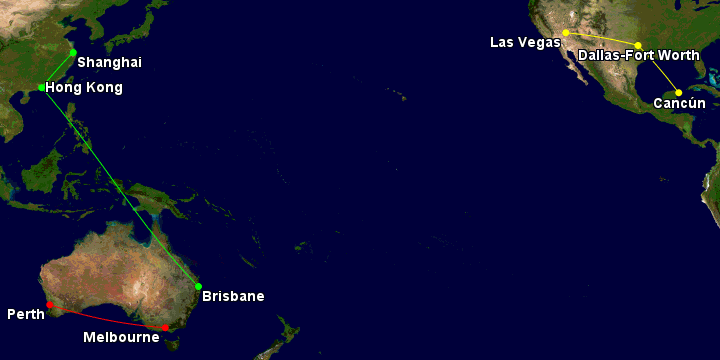
In Australia and New Zealand, due to our smaller populations, we tend to have more direct flights, so it isn’t applicable so much to domestic and Trans-Tasman flights.
For flights within North America
This trick works best on American Airlines. (I haven’t had any success with other airlines.) Luckily, AA is a Qantas partner, meaning you can credit your flights to Qantas Frequent Flyer.
Say you want to fly from Las Vegas to Cancun. For this random date that I plugged into Google Flights, the cheapest price I found was US$365 with a one-hour layover in Dallas/Fort Worth.

However, if I changed my search from a one-way to a multi-city, forcing the layover in Dallas:

then the price drops to $302, saving me $63 (or almost 20% of the ticket price). I can even select from five different onward flights from Dallas to Cancun, depending on how much time I would want to spend in the American Express Lounge or one of the Priority Pass lounges during my layover.
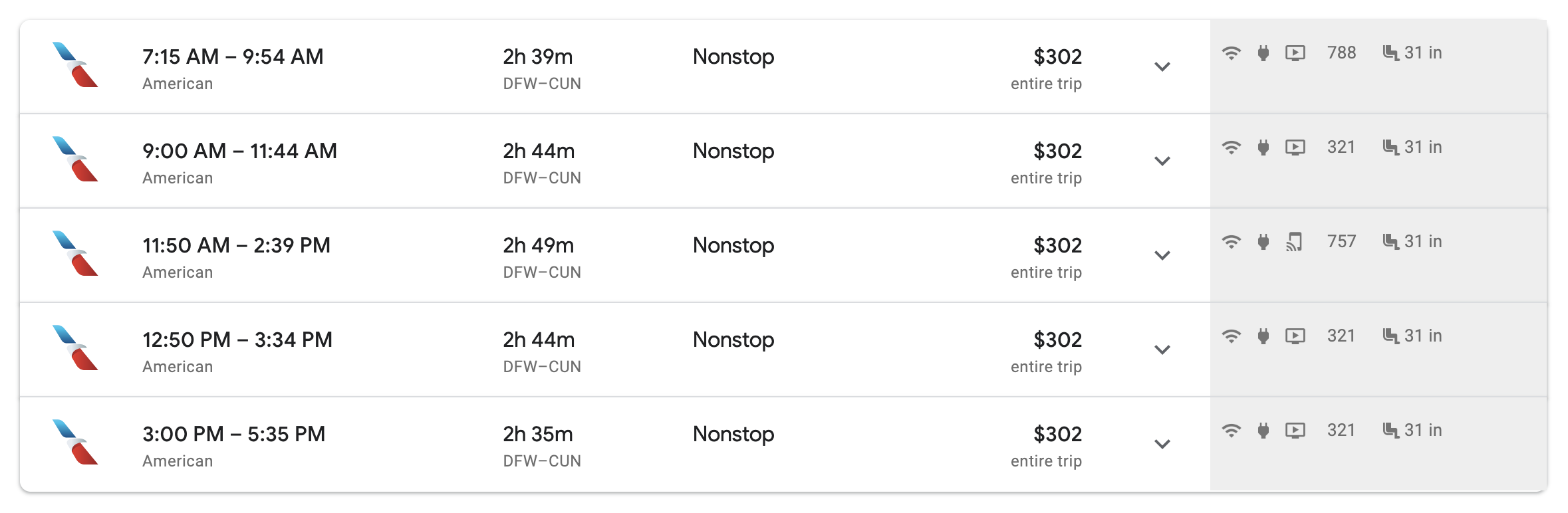
This is a very easy hack to save a solid amount of money.
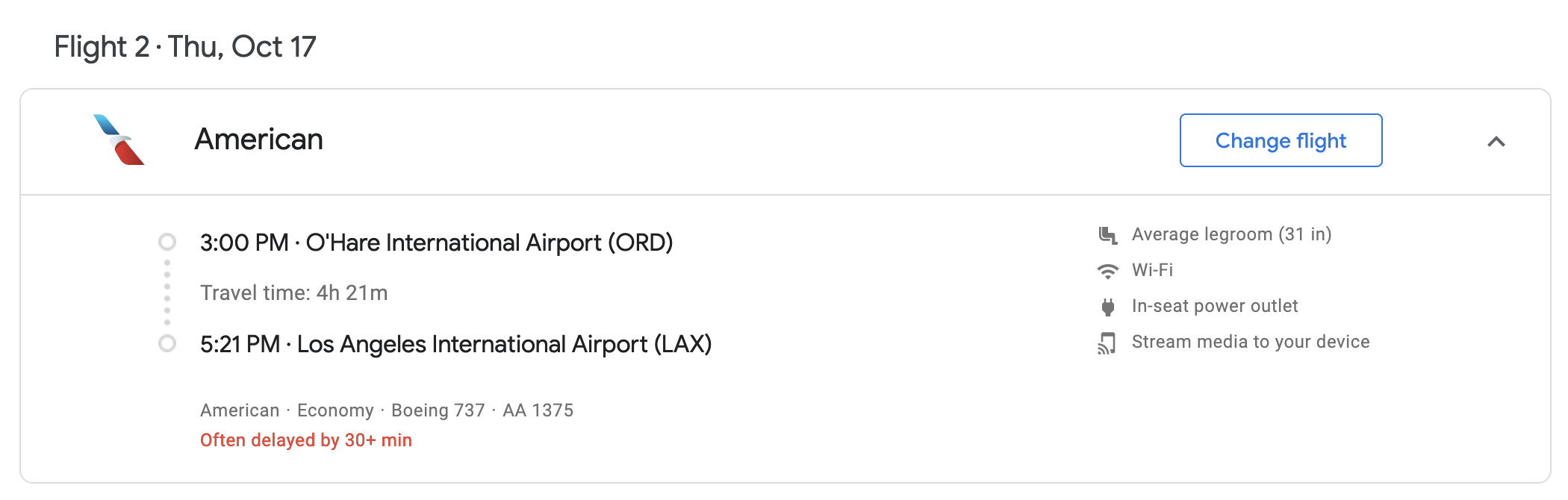
Another example: I want to fly from Montreal to Los Angeles. There are no nonstops on AA (only Air Canada). The cheapest option for this random date is $196, but it involves two layovers in New York and Dallas—no thank you! The fastest option is through Chicago for $284.
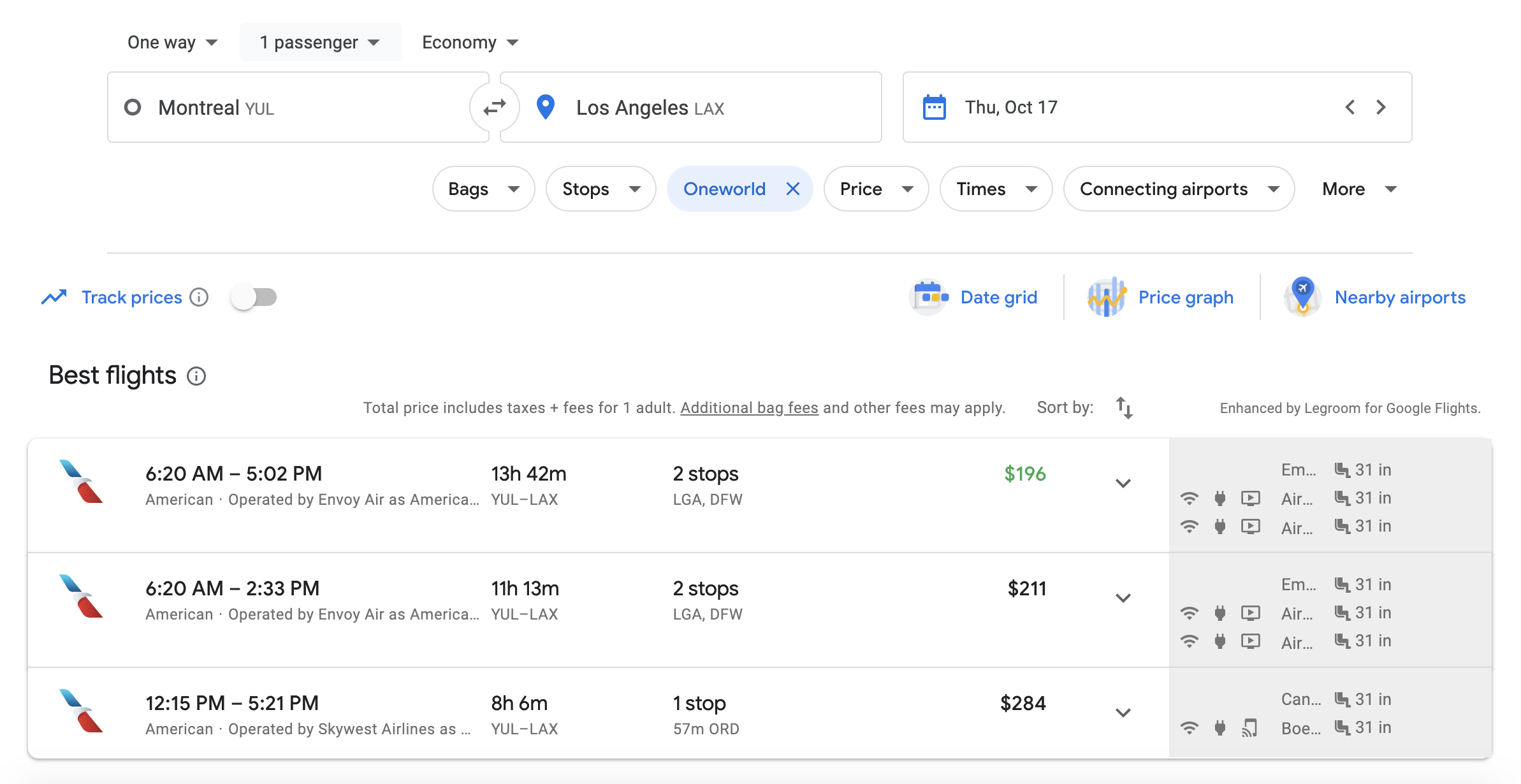
If I use the multi-city trick forcing the layover in Chicago (which I know is the fastest transit airport for this itinerary):

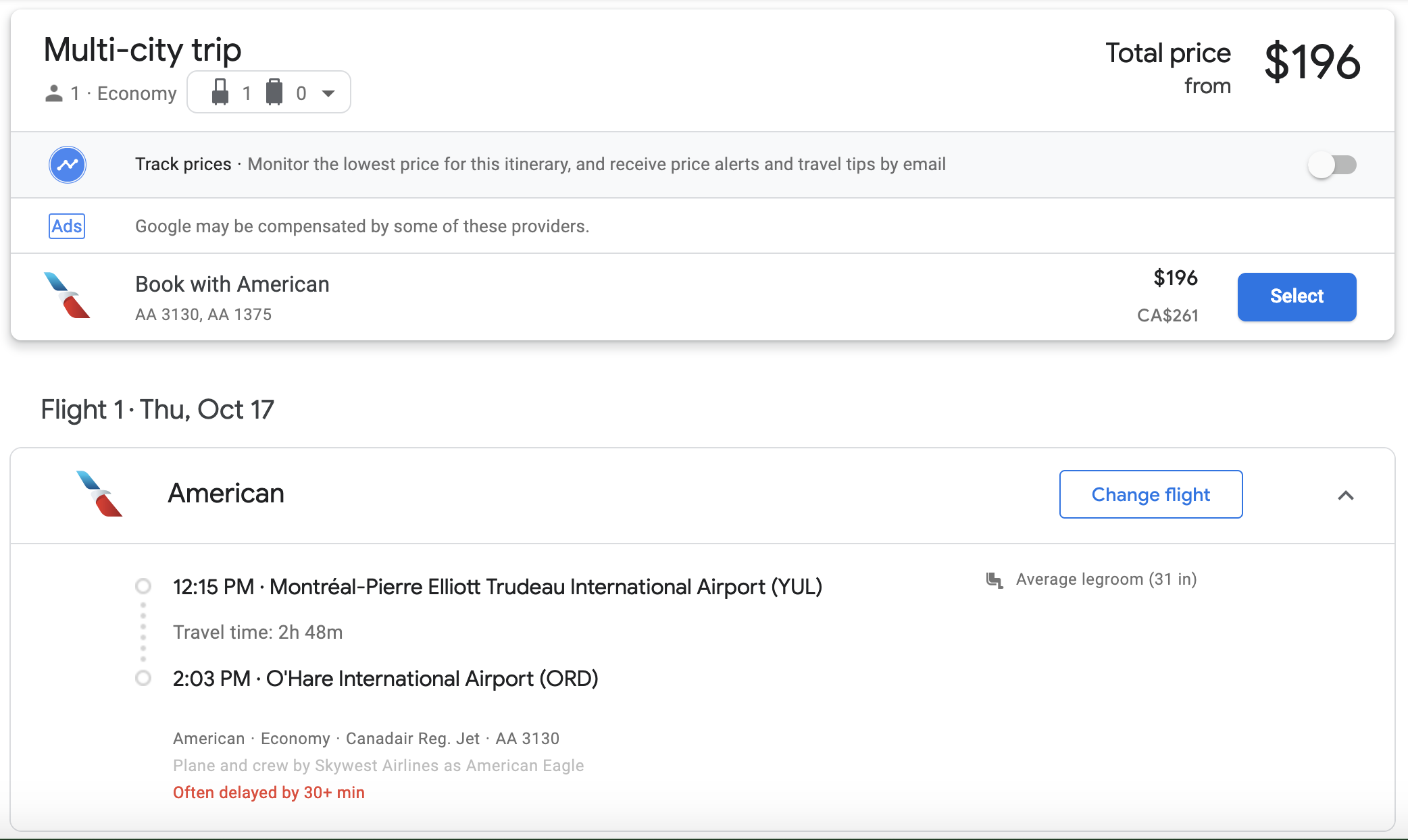
I can actually get that fastest flight for the lower price, which is $196. That saves me $88 (or over 30% of the higher ticket price)—win!
For overseas flights
As I mentioned earlier, it’s less common to be able to use this trick in our region. However, you may be able to pick up a free or cheap stopover on your way to somewhere like Europe through Asia or the Middle East, or North America through New Zealand or Fiji.

Take this example of a one-way flight from Brisbane to Shanghai with Cathay Pacific. The cheapest and fastest option is with a 55-minute layover in Hong Kong for $619.
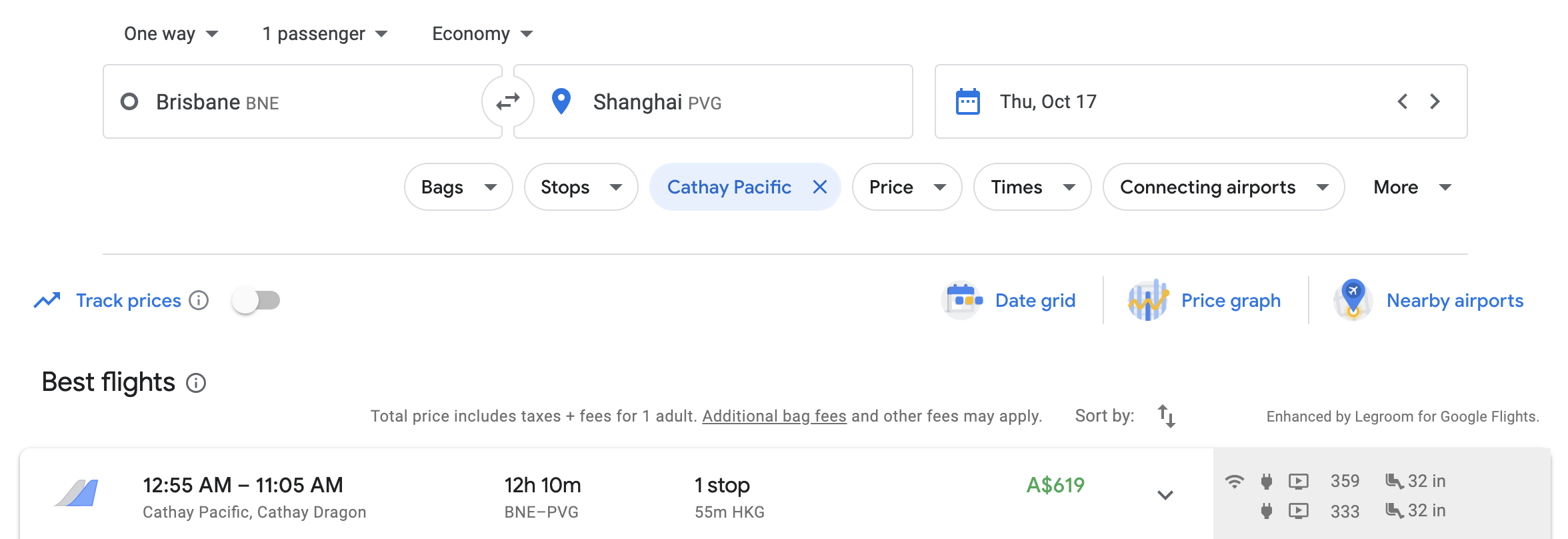
However, if you wanted to stay in Hong Kong for three nights, you could use the multi-city function.

You could choose to depart from Hong Kong to Shanghai on
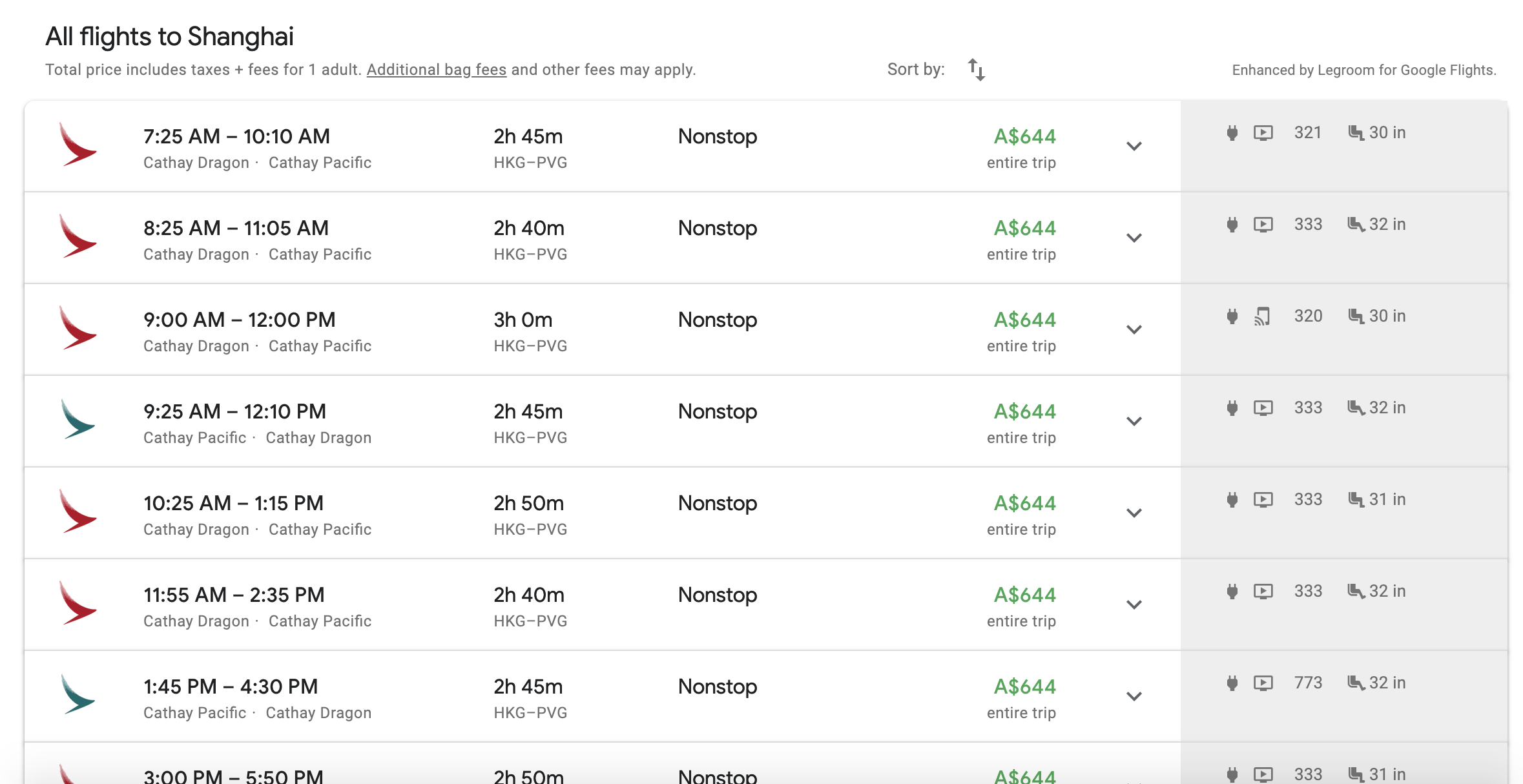
(By the way, if you tried to buy these tickets separately, they would cost almost double that price.)
Frequently asked questions
No, it isn’t. It is just piecing together an itinerary segment-by-segment.
Yes, some experienced travel agents would use this method to reduce the cost of flights.
In my experience, only American Airlines, but please let me know in the comments below if you have success with another carrier like Delta or Alaska Airlines.
No, it doesn’t seem to. For example, if I plug in a one-way search from Canberra to Broome on Qantas via Perth, it gives the exact same price as if I did a multi-city search from Canberra to Perth, then Perth to Broome.
You don’t need to worry about that. Do the one-way search first, then see which connecting airports Google gives you in the results. Then manually plug those airports into a multi-city search. There is no need to make it more complicated than it is.
Absolutely! If you were looking to fly from Sydney to Amsterdam return, then you could manually plug in Bangkok in both directions, meaning you’d have four lines in your search query (Sydney to Bangkok, Bangkok to Amsterdam, Amsterdam to Bangkok, and Bangkok to Sydney). Or you could even switch out the stopover city on the way home to something like Jakarta or Kuala Lumpur!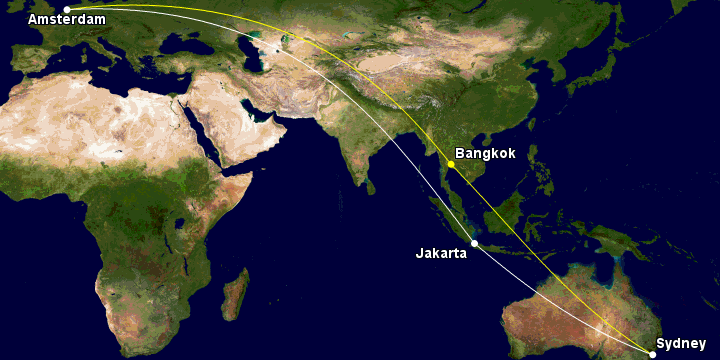
Google Flights will show the total price when searching for multi-city tickets. This is a very consumer-friendly move.
This has happened to me before and I’m not quite sure the reason, but I know that it just won’t work for those combination of flights. That means you need to either buy the (more expensive) one-way ticket or search for other routings.
Avid aviation and points enthusiasts often use Google’s advanced search platform to search for cash tickets. In my experience, ITA Matrix and Google Flights very often give different results. I find that Google Flights prices more cheaply than ITA Matrix a lot of the time and that the forced stopover trick works better on Google Flights.
Summing up
Next time you are stumped on why a connecting flight is so expensive, have a look at breaking the trip up. You may get a lower price and even a free or cheap stopover if you want to extend it!
Have you had any success with using this method? Which route did you book and how much did you save? Share in the comments below!
Supplementary images courtesy Google and Flickr.


Really, a great article…
However at time of writing ( July 2022 ) using Chrome, Google no longer offer me Multi-City as a drop down choice 🙂
Maybe an airline or two told the off else C19 killed it!!
I use to do this all the time. Does this no longer work for American Airlines? I tried this week but it’s not working.
I often use a method similar to this. It is a little more time consuming, but i find much cheaper options if i purchase 2 separate tickets. One from my departure city to whichever city the layover is, and then another from there to my destination city. I have literally saved $100s on a single trip. However, the downside is you will have to get your luggage if you checked any, and go through security to check in again for the next flight. Many times the segments are with different airlines; however, often times the money saved makes it worth it.
Also another question if it would be booked as one ticket or two when the destination is the same but using the multi city option (overseas). If booked as 2 tickets, then one of the drawbacks is having to get your luggage, go through immigration and having to check in again for the next leg. If there are few flights available for the second leg, there might not be enough time to get all this done even if the flight on the first leg is on time.
Hey Matt, got a question for you, can force stop over or customize stop over with return ticket?
Kind regards
Michael
Yes, you can. Just use the multi-city search tool as you would for a one-way ticket.
very cool, i just learned something new today!
Do you know if it is booked as one ticket this way? Say if the first flight is delayed making you miss the second one, do you lose the flight or are you able to get on the next available?
From what I can tell, the multi-city itinerary shows up the same as a one-way ticket when you purchase on the airline’s website, which leads me to believe that you would be rescheduled on a later flight if the first one were delayed, however, I don’t want to make any promises about that as it is up to the airline’s discretion.
Thanks for the guide Matt. Can I ask if there is any guide or list of “good” cities to pair our searches with especially for multi/business class ? E.g. if we do a direct search for PER-LHR (business) it will be very costly compared to multi-city say PER-SIN/CMB/KUL/BKK (economy) and then SIN-LHR (business).
Just want to see if there is a good way to do such search to possibly try business class on the long haul.
Thanks Matt. Is there a difference between using the ITA matrix site versus google flights considering (I believe) the latter is run by the former?
You’re correct in saying that they are both run by Google, but the funny thing is that they very often give different results. I find that Google Flights prices more cheaply than ITA Matrix a lot of the time, and that the forced stopover trick works better on Google Flights.
Conclusion: if you have the time, make sure you check both; if you don’t have the time, I’d actually be inclined to use Google Flights as I find the pricing more accurate. That is my personal experience only, though.
I’m a little confused, it maybe because it is late. But isn’t the ticket price $424, that is, $212 per sector? Nonetheless, the idea is good – ticket savings are always appreciated particularly when it includes more flexibility and/or better connections.
Good question, Drew. Google price will only show the total price, not the per sector price, so the total price was indeed $212.
Very, very useful. And well explained.
Great guide Matt, I have been using google flights for a while as part of my searches. Your guide gives a few more tips to try on my next search