Australian businesses can now make international payments through Pay.com.au, marking a significant expansion for the points-earning payments platform.
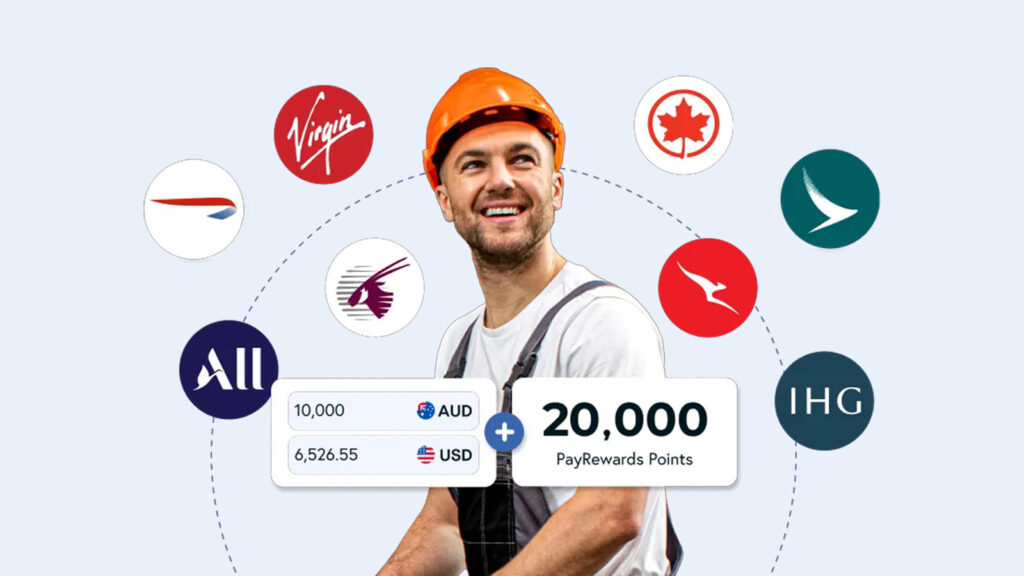
The new feature allows eligible users to send funds to overseas suppliers, contractors or partners in multiple currencies – all while earning PayRewards points that can be transferred to leading airline and hotel loyalty programs.
This guide is brought to you in partnership with Pay.com.au.
International payments, same platform
Until now, Pay.com.au has been focused on domestic bill and supplier payments. With the new international capability, users can send money abroad in USD, GBP, EUR, SGD, HKD, CAD, and NZD in partnership with SendFX. More currencies are expected to be added over time.
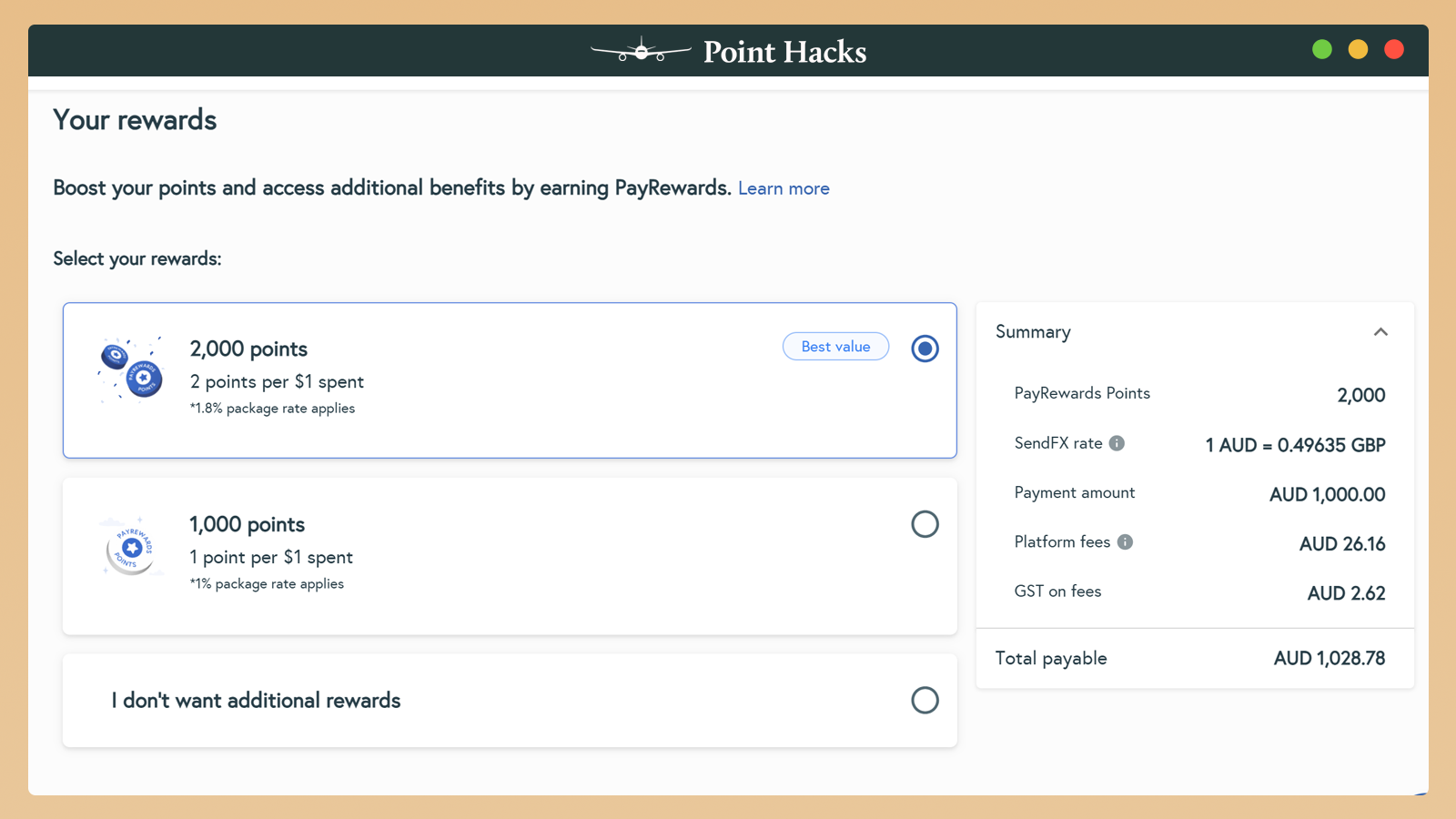
Transactions can be funded via bank transfer or credit card, and users see a live foreign exchange rate before confirming. The rate is locked in for a short window (around 2.5 minutes), giving more control over timing and costs.
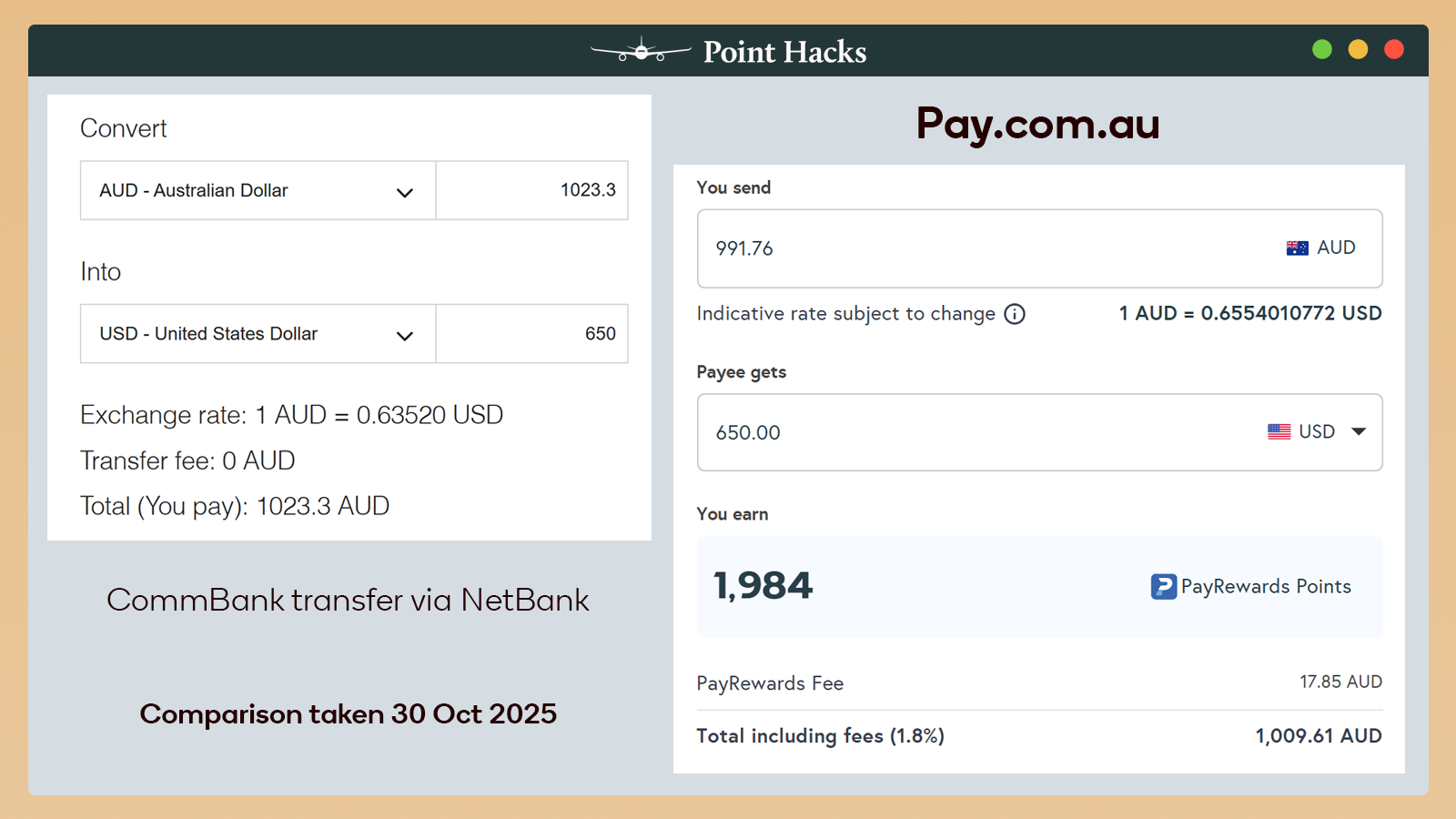
Speaking of the rate, you can generally expect it to be better than that of the ‘Big 4’ banks. In the comparison below, Pay.com.au is cheaper than CommBank by A$13.69 to send US$650 overseas – and that’s already including the optional 1.8% fee to earn 2 PayRewards points per dollar.
All international payments are handled securely through the same Pay.com.au interface, meaning there’s no need to juggle multiple platforms for local and global payments. However, you aren’t able to use American Express cards or PayID payments to fund international transactions, unfortunately.
Earn travel rewards while paying overseas
Unlike traditional FX providers, Pay.com.au also allows users to earn PayRewards points on eligible international transactions. These can be transferred to more than 16 loyalty partners, including:
- Qantas Business Rewards
- Virgin Australia Business Flyer
- Cathay Pacific Asia Miles
- Japan Airlines Mileage Bank
- IHG One Rewards
For businesses that regularly pay overseas vendors or staff, it means turning routine expenses into valuable travel rewards – especially with access to such a wide range of partners.

How it works
- Log in to your Pay.com.au account and enable International Payments. There is some work required behind the scenes, so approval will not be instant.
- You will be notified when International Payments are approved for your account.
- Add your overseas payee with their details, country and currency.
- Confirm the rate and send – you’ll lock in the FX rate and pay by card or bank transfer.
- Earn PayRewards on the transaction (if selected) and later convert them to your preferred loyalty program.
A growing ecosystem for points earners
The move cements Pay.com.au’s position as one of the few Australian platforms that combines competitive FX rates with the ability to earn loyalty points.
Recent enhancements have made those points even more valuable, with improved transfer rates to Qantas Business Rewards and Virgin Australia Business Flyer (now 2 PayRewards = 1 Qantas or Virgin point).
By earning points on overseas payments, companies can offset travel budgets, redeem flights or upgrades, or even fund staff incentives – all through everyday transactions they’re already making.
Point Hacks is affiliated with pay.com.au.
^ Foreign exchange and international payment services via pay.com.au are provided directly to customers by SendFX Limited (ACN 617 647 220). For more details, see the pay.com.au Platform Terms and Conditions.
Pay.com.au Limited (Authorised Representative No. 001317824) is a Corporate Authorised Representative of SendFX Limited, AFSL 509635. Any information or advice provided is of a general nature and does not take into account your objectives, financial situation, or needs. It should not be relied upon as personal advice. Consider whether it is appropriate for you before acting and seek independent advice where necessary.