


Privilege Club is Qatar Airways’ loyalty program, allowing members to earn and redeem Avios points on flights, upgrades and other travel rewards. While it’s quite a popular program with great sweet spots, it’s also a target of fraud and resellers. The airline clamped down on this in June 2026, but has relaxed one of the more onerous requirements just three months later.
Starting suddenly in mid-June 2026, you need to add companions to specific lists before you can redeem your Avios for them. These are called My List, and Friends and Family. You previously also needed to meet certain activity requirements before you could add anyone to these lists – but that rule has been relaxed on 15 September 2026. Here’s how it works.
How does Qatar Airways’ Family & Friends List work?
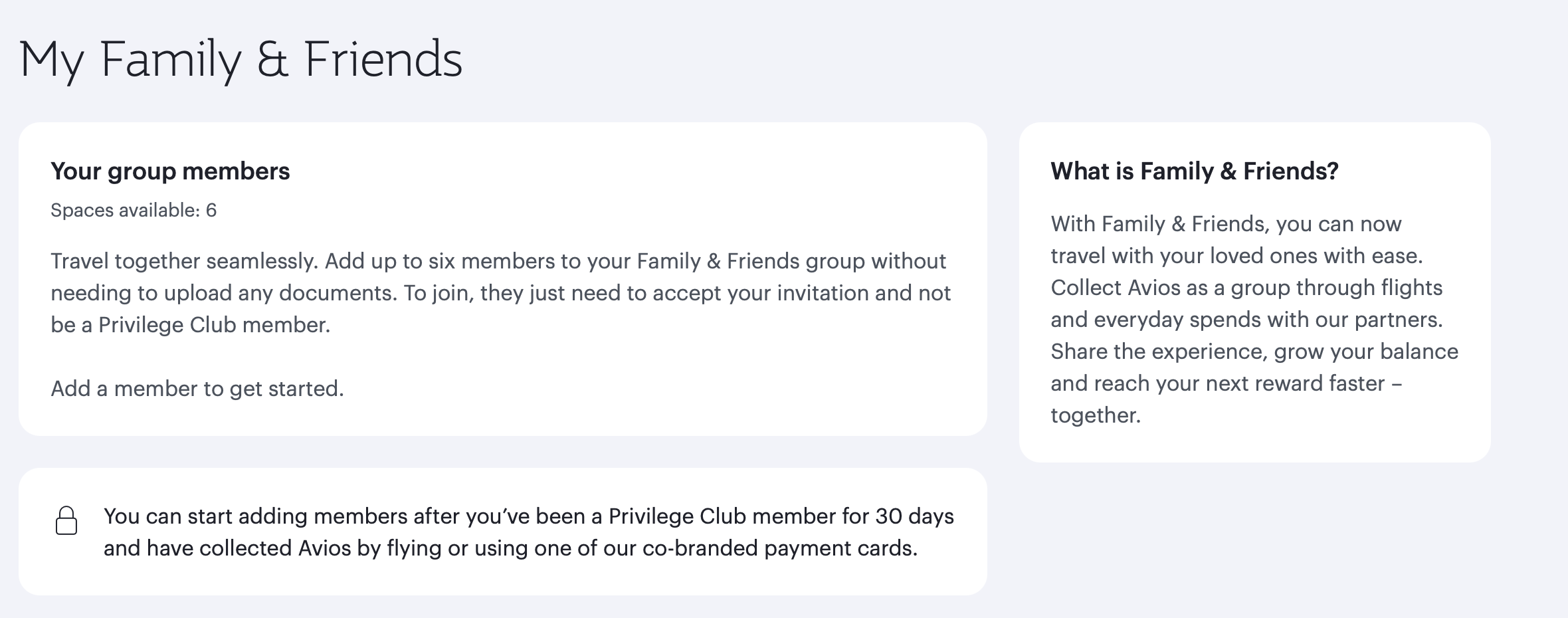
The first list is called Family & Friends. This list lets you add up to six people who are not currently Privilege Club members. All earned Avios in this group are pooled, so this is good for adding kids who might not otherwise use their Avios.
However, they can’t appear on any other member’s Family & Friends list. For example, it means that one kid can’t be part of both of their parents’ individual Family & Friends lists, if that were the case.
How does Qatar Airways ‘My List’ work?
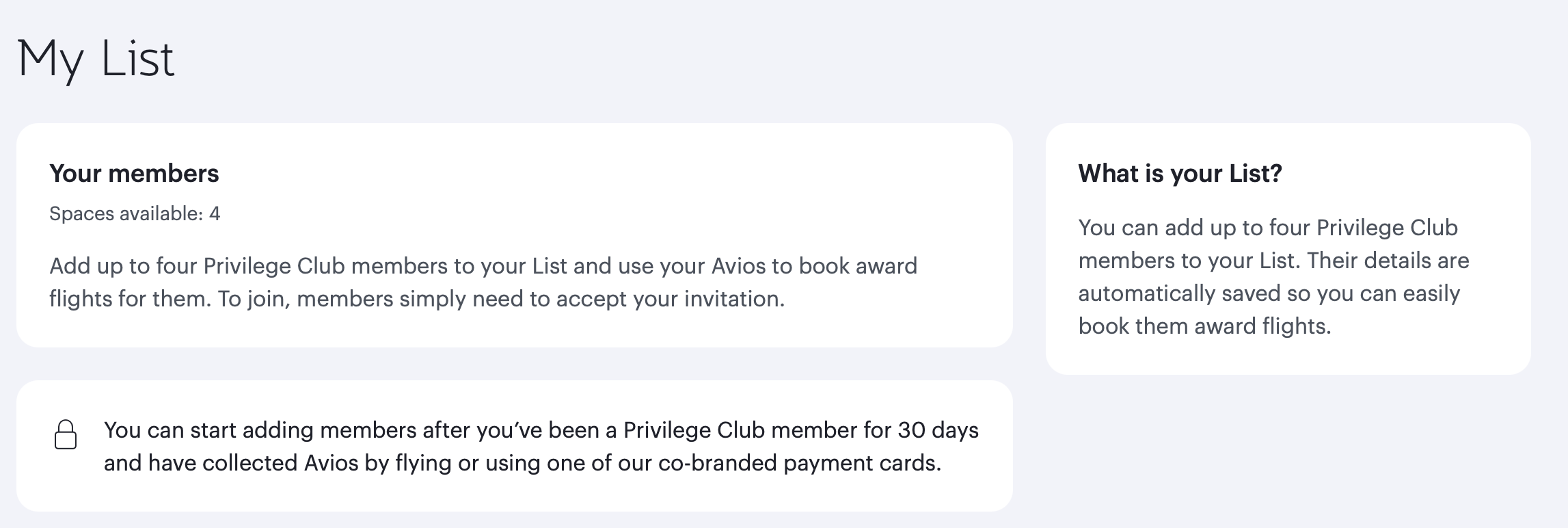
My List works differently from the Family & Friends list. You can invite up to four people to your My List, and they must already be Privilege Club members and have held their membership for over 30 days.
Only the My List owner can redeem the Avios on behalf of people on this list. Once again, the members on the list cannot be a part of any other Privilege Club member’s lists.
The main purpose of this list is to ensure you only spend your Avios on a pre-determined group of people. This does somewhat restrict the flexibility of Avios.
Other rules that have changed with the introduction of these lists
Previously, there were strict criteria you needed to meet before you could even add anyone to your ‘My List’ or Friends & Family list. You needed to have:
- Held a Privilege Club account for more than 30 days
Flown with Qatar or any partner airlines and earned Avios from that flight, or have converted points from a co-branded Qatar Airways credit card
Thankfully, the rule on needing to fly with Qatar Airways or partner airlines and earn Avios before being eligible to use My List has now been relaxed, effective 15 September 2026. You only need to have a Privilege Club account that’s older than 30 days.
Summing up
The new rules restrict Privilege Club award seats to only yourself and members approved on one of two lists. Previously, members could book a flight for anyone.
You can somewhat get around these restrictions by transferring your Avios to The British Airways Club or the Finnair Plus program. However, these programs have different redemption rates and rules, which might not be as advantageous as Privilege Club.
With these new rules, you also have to book for yourself under your Qatar Airways Privilege Club number. You can’t redeem Avios for yourself and add a different frequent flyer number – such as one that might have elite status attached. That means you could be stuck paying Qatar Airways seat selection fees, even in Business Class, even if you have status with a different oneworld partner.
So, what do you think about these recent changes? Let us know below.


Even after changes of 15 September, still can’t have my partner on my list and me on my parters’ list. (If I’m reading this correctly). Thank goodness for Finnair.
For now yes but reading this you book an eligible domestic virgin flight and add your Qatar Privilege-Club number you will be able to use them.
I’m confused. I have a million Avios sitting in my Qatar account. Are you saying that unless my wife and children have flown a Qatar air flight in the past that I’m no longer allowed to redeem flights for them?
For now yes but reading this you book an eligible domestic virgin flight and add your Qatar Privilege-Club number you will be able to use them
Unbelievable.